How to Add Sound Effects to AI Videos
Versein Team · Updated
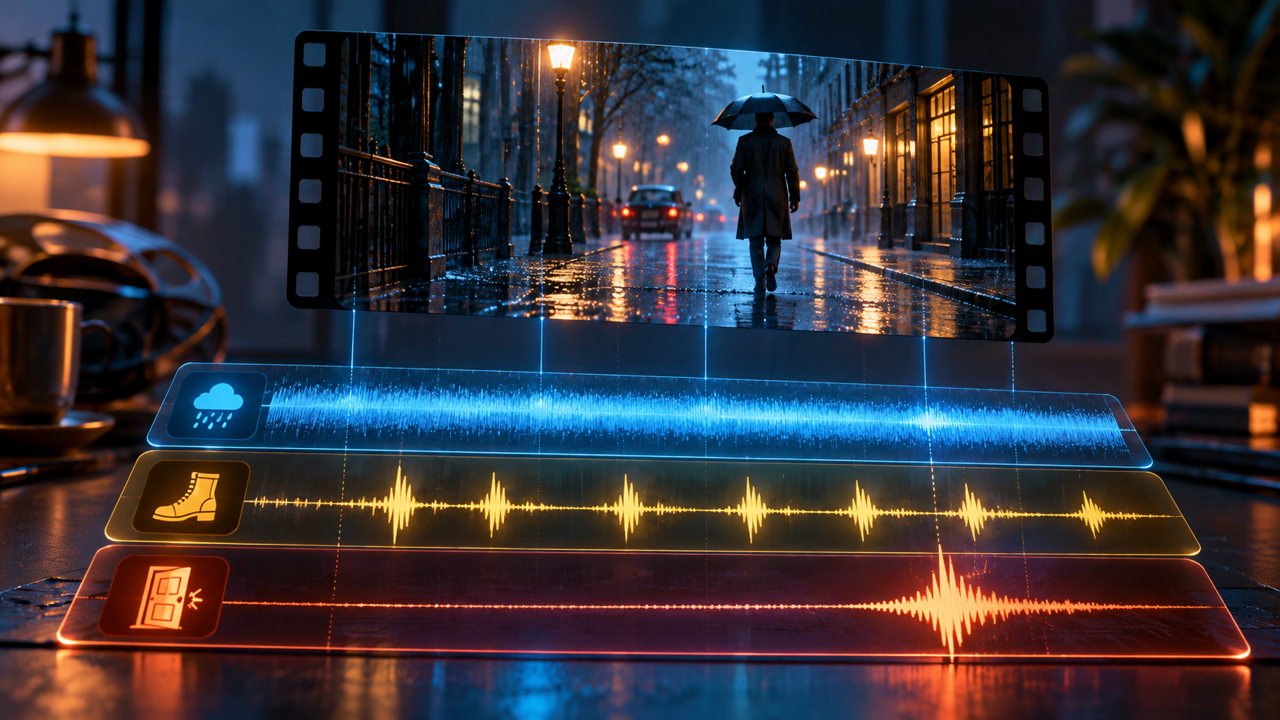
If an AI clip sounds empty, try a sound pass before another round of prompting the picture. To add sound effects, describe an ambience bed and two or three specific effects in physical terms (what makes the sound, out of what, how hard, in what space), generate a few takes of each, and place them under the shot in your editor. VerseIn's AI Sound Effect Generator works from a text description, so you create the audio there and line it up on your own timeline.
Key Takeaways
- Start with an ambience bed for the whole scene, then add the hard effects that must match on-screen action.
- Describe sounds physically: the source, its material, how hard it hits, and the room it happens in.
- Generate two or three takes, place them under the frame, and keep the one that blends into the picture.
- VerseIn's sound effect tool works from a text description. Its page does not describe uploading a video or syncing to it, so you set the timing in your editor.
Foley, ambience and hard effects
Foley "is the reproduction of everyday sound effects that are added to films, videos, and other media in post-production," according to Wikipedia's Foley article. It is named after Jack Foley, and the same article sorts it into three categories: feet, moves and specifics. Think footsteps, cloth rustling, and a cup set down on a table.
Ambience "is the background sound of a given environment," as Adobe's guide to adding sound effects to videos puts it. A close relative is room tone, which is "the 'silence' recorded at a location or space when no dialogue is spoken," per Wikipedia's Room tone article. Editors intercut it with dialogue to smooth the edit points.
Hard effects are the distinct sounds tied to a moment: a door slam, an impact, a whoosh on a transition. Adobe notes that "hard sound effects need to be synchronized with something on screen," while ambience and music need less precision.
| Layer | What it is | Example prompt |
|---|---|---|
| Ambience bed | The background sound of the place, under the whole scene | "Quiet open-plan office, distant keyboard typing, air conditioning hum, no voices" |
| Room tone | The near-silence of a specific space | "Room tone of a small carpeted bedroom at night, faint traffic far outside" |
| Foley | Everyday sounds matched to what people do | "Leather boots walking slowly on wet gravel, light steps" |
| Hard effect | A single sound synced to one moment | "A heavy wooden door closing firmly in a stone hallway" |
| Interface sound | Clicks and confirmations for product or UI shots | "A soft, short interface tick, clean and dry" |
How to add sound effects to an AI video in 5 steps
VerseIn's sound effect page lists three steps. The list below adds one step before them (getting the clip ready) and one after (balancing the mix).
- Get your clip ready and note what is missing.
- Describe the source and the material.
- Describe the space.
- Generate a few takes and place them under the shot.
- Add music and voice-over, then balance.
Step 1: Get your clip ready and note what is missing
Make or pick the clip first, for example in Text to Video or Image to Video. Some video models on VerseIn generate audio along with the clip (see AI video generators with audio). Generated sound effects are for when that audio is missing or wrong for the shot.
Then write a short sound list: the place (for the ambience bed) and each visible action that should make a noise.
Step 2: Describe the source and the material
The page's core principle is that "sound design prompts are physical descriptions." Say what makes the sound, what it is made of, and how hard it moves. Its example: write "A heavy wooden door closing," not "a door." Material and weight matter more than the name of the object.
Open the tool, type your description in the "Describe what you want to create" box, and press Generate. The page shows Foley, ambience, impacts and interface sounds as the kinds of sound it covers.
Step 3: Describe the space
The same sound changes with the room. The page points out that a handclap in a bathroom, in a hall and in a field are three different effects. Name the space in your prompt so the effect matches what the viewer sees: its size, its surfaces, and whether it is indoors or outdoors, as in "footsteps on a tiled floor in a large, empty train station."
Step 4: Generate a few takes and place them under the shot
The page recommends generating two or three versions and dropping them under the frame. Keep the one that "disappears into the picture," meaning the viewer stops noticing it as an added effect.
Ask for a length that fits the gap in your cut, so you are not trimming the sound with a long fade that announces itself. The page says effects are generated to a specific duration, with the available durations shown in the form.
Then line the sound up in your editing app. The page describes a text prompt, not a video upload, so you set the timing yourself: put the ambience bed under the full scene and nudge each hard effect until it lands on the action. The page says effects go into the same library as your video, so you find them next to your clips.
Step 5: Add music and voice-over, then balance
If the video has a soundtrack or narration, add those next. The AI Music Generator makes instrumental beds at the length you need, and AI Voice Over turns a pasted script into narration. If the music leads the edit, see how to make an AI music video; for a narrated format, see how to make faceless YouTube videos with AI.
Adobe's guide says to balance effects against dialogue and music. Keep effects and music under the voice so every word stays clear.
Tips for sound effects that fit the picture
- Lay the ambience first. VerseIn's page points out that real recordings are never silent, and that an ambience bed plus two or three specific effects usually does more for a scene than another round of prompting the picture.
- Split one action into layers. The page breaks a door closing into the handle, the swing of air, the thud and the room response. Generate each part separately and stack them. Adobe also says effects "need to be layered to be realistic," spread across low, mid and high frequencies.
- Alternate takes to avoid loops. Ears notice repetition, the page says, so its example is six slightly different footsteps instead of one file played six times. Run one prompt several times and alternate the results.
- Place before you judge. The page warns that, played alone, an effect usually sounds too loud, too long and too detailed. Listen to it under the frame before you decide.
- Fade every effect. Adobe recommends a fade in and fade out on each effect so it does not start or stop abruptly. A sound generated at the right length only needs a short one.
Where sound effects fit in a VerseIn workflow
A typical order for a short video looks like this:
- Generate the clips with the AI Video Generator, Text to Video or Image to Video.
- Generate ambience and effects in the sound effect tool.
- Add a music bed from the AI Music Generator.
- Add narration with AI Voice Over.
- Add on-screen text with AI Captions, or make other language versions with AI Video Dubbing.
The AI Video Generator page says voice-over, background music and sound effects are generated "next to the video rather than in a second tool," in one library. The final edit still happens on your own timeline.
FAQ
Can I add sound effects to an AI video I already made?
Yes. Generate the effects from a text description, then place them on the timeline in your editing app. VerseIn's sound effect page does not describe uploading a video or syncing sound to it automatically, so you line up each effect yourself.
How long can a generated sound effect be?
The tool makes both short effects and longer ambience beds. The page says the available durations are shown in the form, with ambience meant to run at scene length and impacts at shot length.
Can I use AI sound effects commercially?
The page FAQ says yes, under the terms of service, on a paid plan. Elsewhere the page says there is "no licensing to track," since effects are generated under your plan with the same commercial terms. You can also try the tool within your free credits. Check the terms for your project.
What is the difference between Foley and ambience?
Foley is everyday sound, such as footsteps, cloth and handling, timed to the action on screen. Ambience is the background sound of a place, like a street or a forest, running under the whole scene.
Why does my AI video still sound fake after adding music?
Music sets the mood but does not tell the ear where the scene happens. Add an ambience bed or room tone for the space, then two or three hard effects synced to visible actions, each described with its material and the room it is in.
Describe the sound your shot is missing
Generate Foley, ambience, impacts and interface sounds at the length your cut needs, then place them under the frame.