15 Halloween Photo-to-Video Templates to Try in 2026
Versein Team · Updated
A Halloween photo-to-video template skips the costume and the editing: you upload one photo, and the template builds a finished Halloween scene around you. These 15 VerseIn templates cover gothic portraits, witches, transformations, fake "caught on camera" clips and one for pets. For each one, you'll find what to upload, a link to the template and, where one exists, a step-by-step guide.
Key Takeaways
- Every template here starts from a single photo. Most ask for a clear, front-facing shot with your face visible.
- A few hints differ: Little Dark Witch and Stop-Motion Me also want your hairstyle visible, Autumn Witch works best with a full-body photo, and Trick or Treat (pet) needs a photo of your pet.
- The process is the same for all 15: select the template, upload your photo, generate and post.
- Eight of the templates have their own step-by-step guide, linked in their entries.
Gothic portraits
These four lean dark and dramatic. They fit a moody post or a seasonal profile picture better than a joke.
1. Porcelain Gothic Wedding
Porcelain Gothic Wedding turns your photo into an elegant, slightly haunting wedding portrait with lace, roses and candlelit castle shadows. Think of it as the graceful, bloodless take on a gothic wedding.

- What to upload: a clear, front-facing photo with your face visible
- Template: Porcelain Gothic Wedding
- Guide: How to make a Porcelain Gothic Wedding video
2. Vampire Bride
Vampire Bride is the darker sibling of Porcelain Gothic Wedding. It places you in a gothic wedding portrait, dressed all in white by candlelight and hungry for your next guest.
- What to upload: a clear, front-facing photo with your face visible
- Template: Vampire Bride
- Guide: How to make a Vampire Bride video
3. Vampire Awakening
Vampire Awakening turns you into a gothic vampire who opens glowing ice-blue eyes and smiles to show their fangs.
- What to upload: a clear, front-facing photo with your face well lit
- Template: Vampire Awakening
4. Haunted Ward Nurse
Haunted Ward Nurse makes you the mysterious nurse of a haunted hospital, in a chilling gothic horror portrait. It trades the candlelit romance of the wedding looks for straight horror.
- What to upload: a clear, front-facing photo with your face well lit
- Template: Haunted Ward Nurse
Witches
The three witch looks range from cozy to eerie, so you can pick the mood before the hat.
5. Autumn Witch
Autumn Witch sends you flying on a broomstick in orange tulle above a glowing fairytale town. The mood is warm and storybook-pretty rather than scary.
- What to upload: a clear photo with your face visible (full body works best)
- Template: Autumn Witch
- Guide: How to make an Autumn Witch AI video
6. Little Dark Witch
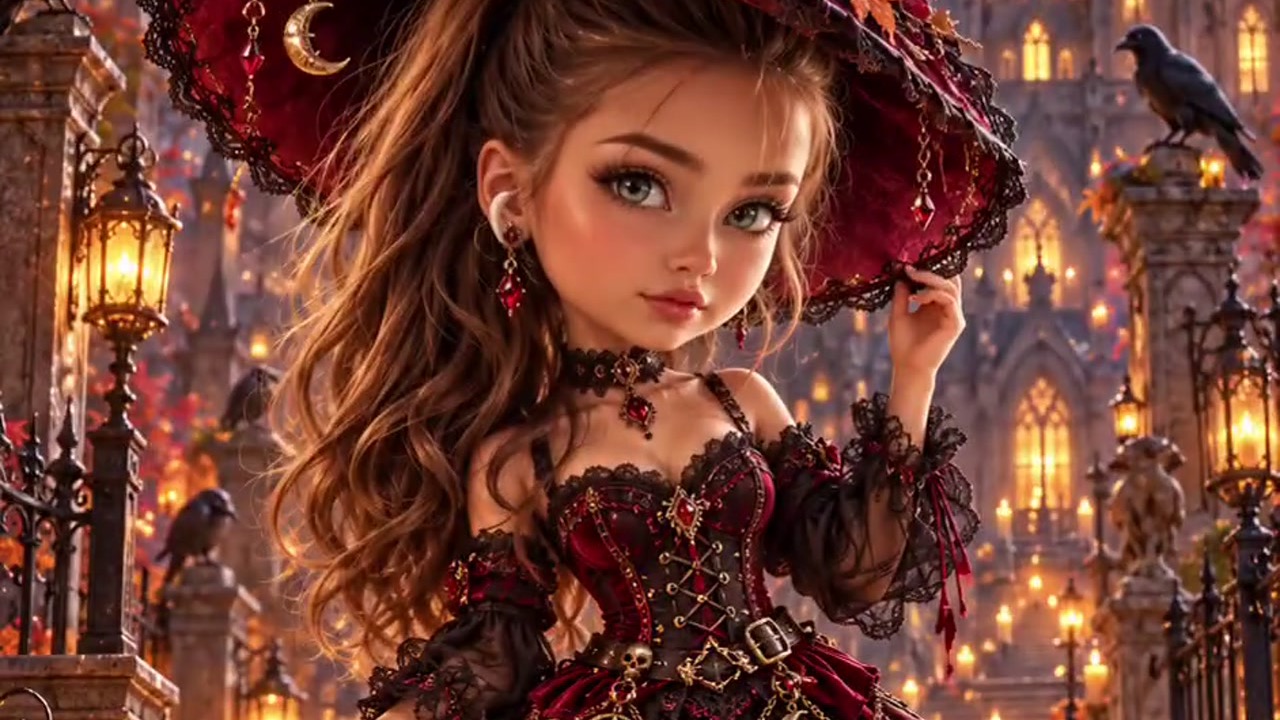
Little Dark Witch turns you into a chibi 3D witch figurine with a lantern in hand, a black cat at her feet and a castle glowing behind her. Think collectible toy rather than portrait.

- What to upload: a clear, front-facing photo with your face and hairstyle visible
- Template: Little Dark Witch
Because the hint names your hairstyle, a photo without a hat or hood is a sensible choice here.
7. Candlelight Witch
Candlelight Witch is a moody portrait lit by a single candle, with a giant witch shadow looming on the wall behind you. Of the three witch looks, this one is the quietest and most atmospheric.
- What to upload: a clear photo with your face visible
- Template: Candlelight Witch
Transformations
Most of these turn you into something else partway through, so the change itself is the payoff. Stop-Motion Me restyles you as a puppet instead.
8. Salon to Vampire
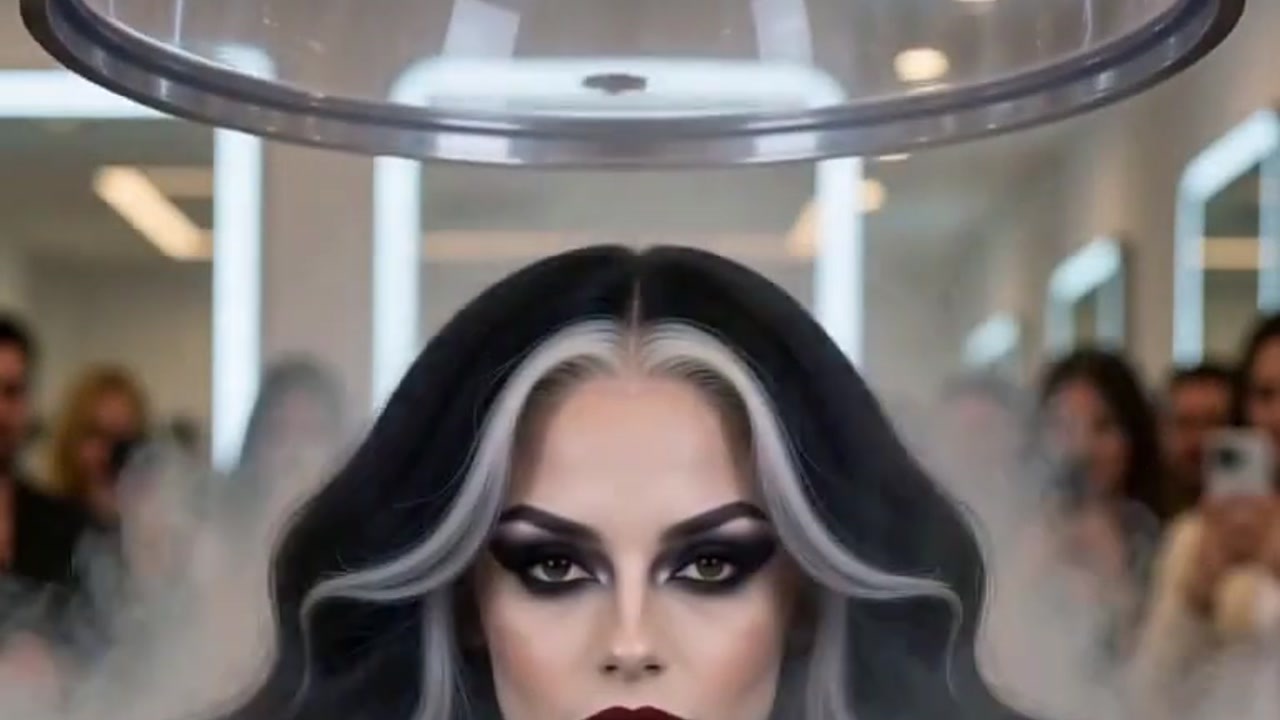
Salon to Vampire starts as a salon makeover and goes glam-gothic: one puff of smoke and you're a fanged vampire icon.

- What to upload: a clear, front-facing photo with your face visible
- Template: Salon to Vampire
- Guide: How to make a Salon-to-Vampire transformation video
9. Potion Gone Wrong
In Potion Gone Wrong, you play a witch who gulps a glowing potion and, poof, becomes a tiny bat. Expect a gag with a clear punchline.
- What to upload: a clear, front-facing photo with your face visible
- Template: Potion Gone Wrong
10. Werewolf? More Like Werepup
This one sets up a full-moon werewolf transformation, then ends with the tiniest, fluffiest wolf cub. Scary setup, cute ending.
- What to upload: a clear, front-facing photo with your face visible
- Template: Werewolf? More Like Werepup
- Guide: How to make a Werewolf-to-Werepup video
11. Stop-Motion Me
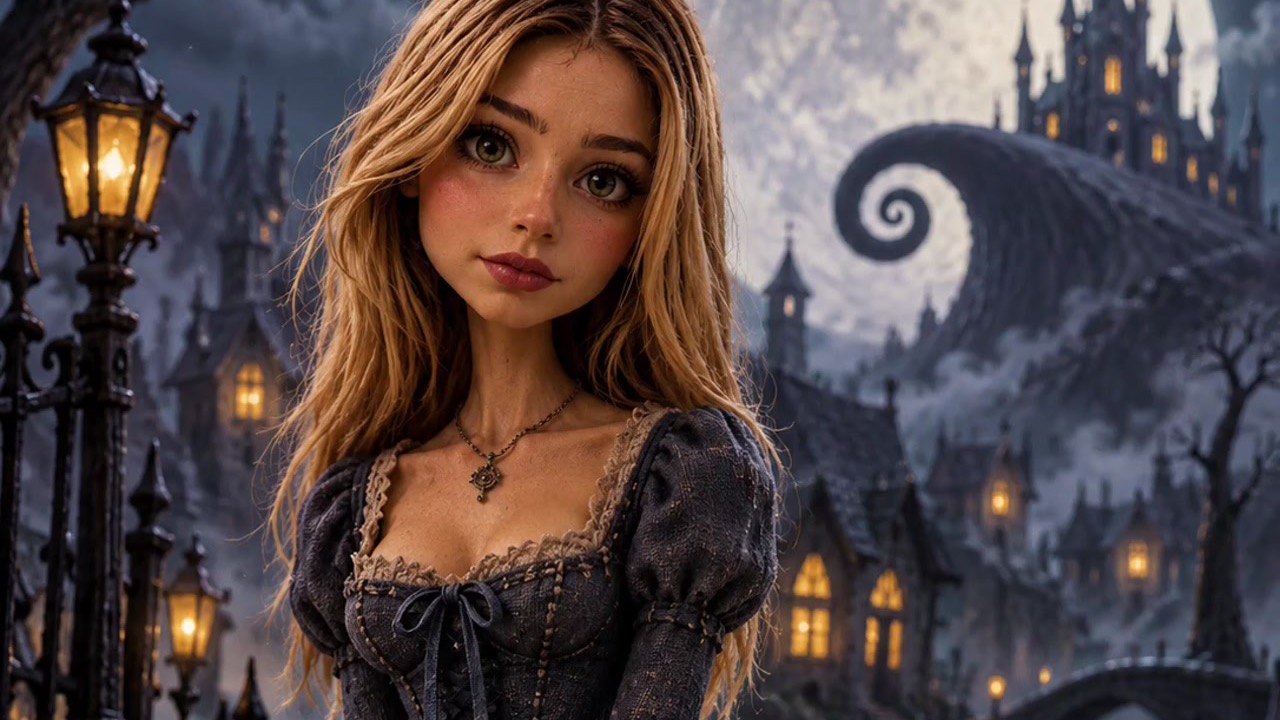
Stop-Motion Me remakes you as a handcrafted gothic puppet in a moonlit fairytale town, sweet with a hint of spooky.
- What to upload: a clear, front-facing photo with your face and hairstyle visible
- Template: Stop-Motion Me
- Guide: How to make a stop-motion Halloween video of yourself
Funny and "caught on camera"
Two of these copy the look of real footage: a phone clip and a doorbell camera. Share them as jokes and say they were made with AI, so nobody mistakes them for something that really happened.
12. Caught on Camera: Witch Crossing
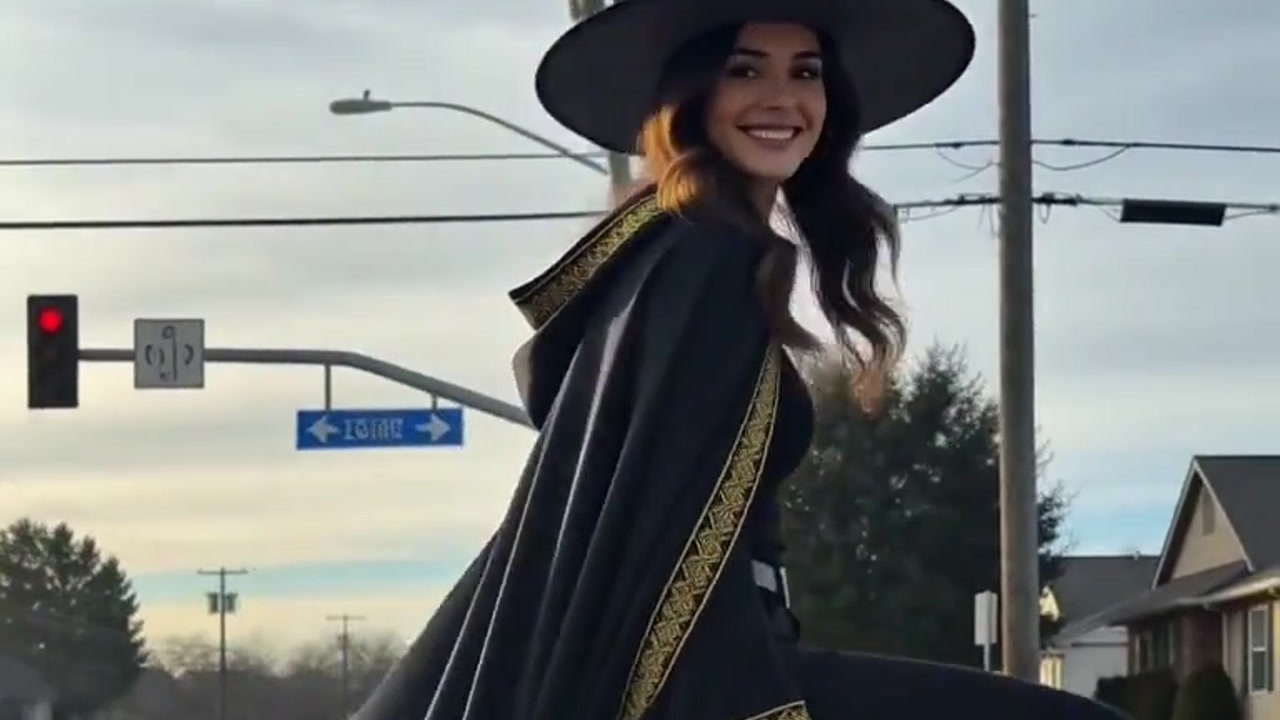
Caught on Camera: Witch Crossing makes a "real" phone clip of you floating across a crosswalk on a broomstick, grinning at the driver.

- What to upload: a clear photo with your face visible (the hint doesn't ask for front-facing)
- Template: Caught on Camera: Witch Crossing
- Guide: How to make a "Caught on Camera" Witch Crossing video
13. Magic Candy Portal
Magic Candy Portal looks like doorbell-cam footage of you conjuring a glowing portal that pours out a waterfall of candy. It plays on the trick-or-treat doorstep in a way most of the list doesn't.
- What to upload: a clear, front-facing photo with your face visible
- Template: Magic Candy Portal
14. Scared of Myself
Scared of Myself turns you into a little ghost who flies through a wall, catches their own reflection and totally freaks out. Pick this one if you like a joke at your own expense.
- What to upload: a clear, front-facing photo with your face visible
- Template: Scared of Myself
For pets
15. Trick or Treat (pet)
Trick or Treat (pet) opens the front door on your pet in a pumpkin costume, sitting on the mat and begging for candy. This is the only template here built around a pet instead of a person.

- What to upload: a clear photo of your pet, with face and fur clearly visible
- Template: Trick or Treat (pet)
- Guide: How to turn your pet into a trick-or-treater
All 15 templates at a glance
The "Best for" column is a suggestion based on each template's description.
| Template | What you upload | Best for |
|---|---|---|
| Porcelain Gothic Wedding | Clear, front-facing photo, face visible | An elegant gothic portrait |
| Vampire Bride | Clear, front-facing photo, face visible | A darker gothic wedding look |
| Vampire Awakening | Clear, front-facing photo, face well lit | A dramatic fang reveal |
| Haunted Ward Nurse | Clear, front-facing photo, face well lit | Horror-movie fans |
| Autumn Witch | Clear photo, face visible, full body works best | A cozy, warm-toned witch post |
| Little Dark Witch | Clear, front-facing photo, face and hairstyle visible | A cute figurine version of you |
| Candlelight Witch | Clear photo, face visible | A moody, low-light portrait |
| Salon to Vampire | Clear, front-facing photo, face visible | A glam makeover reveal |
| Potion Gone Wrong | Clear, front-facing photo, face visible | A quick witch gag |
| Werewolf? More Like Werepup | Clear, front-facing photo, face visible | Scary-to-cute humor |
| Stop-Motion Me | Clear, front-facing photo, face and hairstyle visible | A handcrafted puppet look |
| Caught on Camera: Witch Crossing | Clear photo, face visible | Fake "real footage" jokes |
| Magic Candy Portal | Clear, front-facing photo, face visible | A trick-or-treat doorstep gag |
| Scared of Myself | Clear, front-facing photo, face visible | Self-deprecating humor |
| Trick or Treat (pet) | Clear pet photo, face and fur visible | Dogs, cats and other pets |
How to make a video with any of these templates
- Select the template.
- Upload your photo (click on the web, tap in the app).
- Generate and post.
Open any template link above, or browse more Halloween templates in the Festival category. You can work in the VerseIn web app or in the iOS and Android apps. After you press Generate and confirm, your video is saved to your Media library, ready to post.
If the photo shows someone other than you, ask them first. Turning a friend into a vampire is more fun when they're in on it.
Picking a photo that fits
Almost every hint on the list asks for a clear view of a face, so the same basics apply across templates.
| Works well | Avoid |
|---|---|
| Face clear and unobstructed | Sunglasses, masks or hair over your eyes |
| Bright, even light | Dark or strongly backlit shots |
| One person, or one pet | Group photos |
| Facing the camera, when the hint asks for it | Strong side profiles |
A couple of suggestions beyond the table: when a hint mentions your hairstyle or full body, pick a photo that actually shows it. For the pet template, a sharp photo taken at your pet's eye level is a good place to start.
How we chose these templates
VerseIn publishes this blog, and all 15 entries are VerseIn's own templates, picked from the Halloween templates in its Festival category. We did not compare them with templates from other apps.
We picked for range:
- Mood: elegant, cozy, eerie, scary and silly options
- Upload needs: face-only, hairstyle, full body and pet photos
- Format: portraits, transformations and fake-footage clips
The numbers are only there to help you find your way around. The order follows the theme groups and is not a ranking. Other Halloween templates, such as Pumpkin Slayer and My Shadow Has Plans, are also on the Festival page.
FAQ
Are these Halloween templates free to use?
They use credits, and the amount depends on the tool, model and settings. You'll always see the total cost before you confirm. New accounts get free sign-up credits, which you can use toward a generation, and paid plans export without a watermark. Details are on the pricing page.
What happens if a generation fails?
If a generation fails because of a processing error, a timeout or a content safety check, your credits are returned automatically.
Do I need to wear a costume in my photo?
You don't need one to start. The template descriptions put the look in the scene, from lace and roses to orange tulle and a pumpkin costume for pets, so an everyday photo that meets the upload hint is a fine starting point.
Which of these templates have step-by-step guides?
Eight do: Porcelain Gothic Wedding, Vampire Bride, Autumn Witch, Salon to Vampire, Werewolf? More Like Werepup, Stop-Motion Me, Caught on Camera: Witch Crossing and Trick or Treat (pet). Each guide is linked in that template's entry above.
Find your Halloween template
Pick a Halloween look, upload one photo and generate your video in three steps.