PixVerse C1 vs PixVerse V6: Specs and Use Cases
Versein Team · Updated
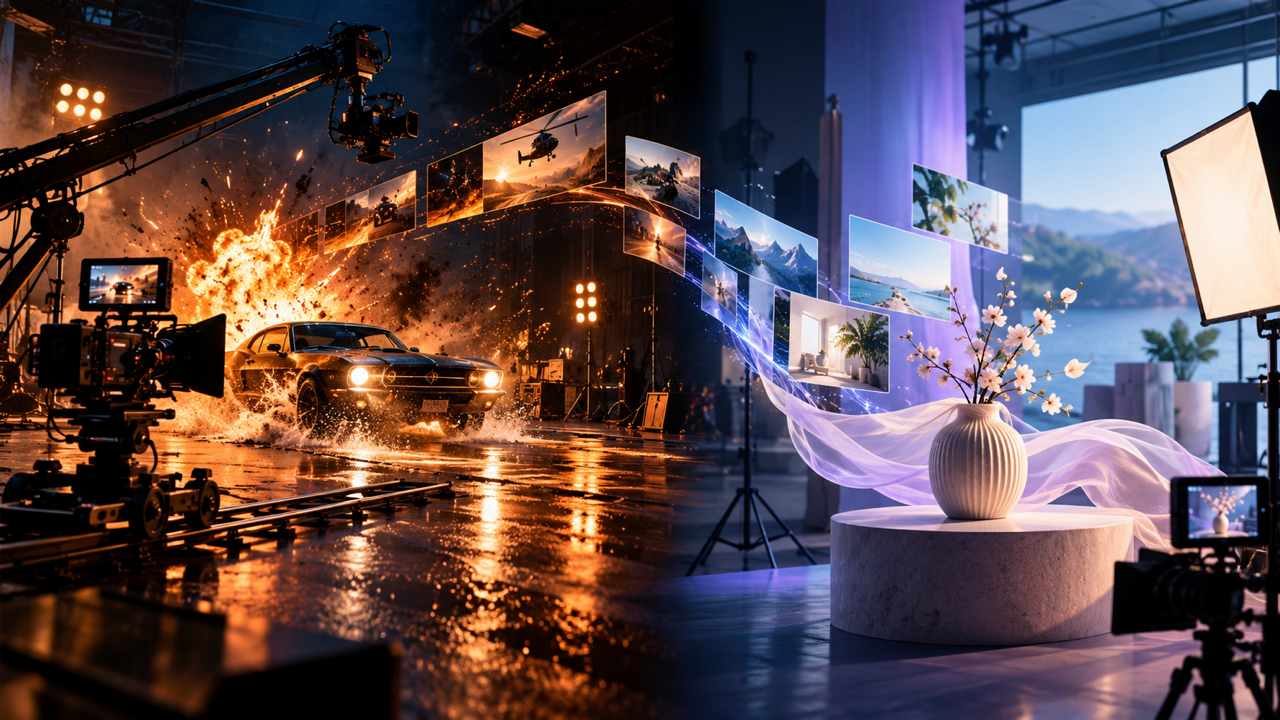
PixVerse C1 and PixVerse V6 look almost identical on VerseIn: both make 1 to 15 second clips at 360p to 1080p, in the same eight aspect ratios, with generated audio. The practical gaps are a first and last frame mode that only V6 offers and a prompt limit of 5,000 characters on V6 against 4,200 on C1. Beyond that, the two differ in purpose: PixVerse built C1 for film production and action, and it calls V6 its flagship model. The facts below come from published VerseIn and PixVerse pages, not from comparing outputs.
Key Takeaways
- Clip length range, quality options, aspect ratios, audio and optional reference images match on the two VerseIn model pages.
- Only PixVerse V6 lists first and last frame to video on VerseIn, and it accepts 800 more prompt characters than C1.
- PixVerse positions C1 for action scenes, effects and character continuity, and V6 for general work such as social ads, product teasers and simple image to video.
- When a job could suit either model, run the same idea through both and judge the clips yourself.
PixVerse C1 vs PixVerse V6 at a glance
Every value in this table is taken from VerseIn's PixVerse C1 page and PixVerse V6 page as published on October 22, 2026. New to C1? What Is PixVerse C1? covers its features and setup.
| Spec on VerseIn | PixVerse C1 | PixVerse V6 |
|---|---|---|
| Video length | 1 to 15 seconds | 1 to 15 seconds |
| Quality | 360p, 540p, 720p, 1080p | 360p, 540p, 720p, 1080p |
| Aspect ratios | 16:9, 9:16, 1:1, 4:3, 3:4, 2:3, 3:2, 21:9 | 16:9, 9:16, 1:1, 4:3, 3:4, 2:3, 3:2, 21:9 |
| Modes | Text, image and reference to video | Text, image, first and last frame, and reference to video |
| Prompt limit | 4,200 characters | 5,000 characters |
| Audio | Generates audio | Generates audio |
| Reference images | Optional | Optional |
Apart from modes and prompt limit, the rows match, so output size and format rarely decide the choice. Both model pages offer every whole-second length from 1 to 15 seconds. A vertical 9:16 clip for Reels or TikTok, a square post or a wide 21:9 shot works with either model, at any of the four quality levels.
Where the two models differ on VerseIn
Modes and prompt length are the differences listed on the model pages. Release timing and PixVerse's positioning explain why the models exist side by side.
Generation modes
V6 has one mode that C1 lacks on VerseIn: first and last frame to video, which works from a start image and an end image. That suits a clip that has to land on a set frame, such as a product shot that ends on the packshot or a scene that has to cut cleanly into the next one.
C1 covers the other three modes on VerseIn: text to video, image to video and reference to video. Its model page also notes that you can reference saved characters when adding a reference image. For more on each input type, see VerseIn's Text to Video and Image to Video pages.
Prompt limit
V6 accepts prompts of up to 5,000 characters, while C1 stops at 4,200. The 800-character gap only comes into play once a prompt runs past C1's ceiling. Neither VerseIn page says how either model handles a prompt near its limit.
Release dates and positioning
V6 came first. PixVerse's V6 launch post, dated March 30, 2026, calls it the "latest version of its flagship model" and highlights "shot execution, character performance, and multi-shot audio-visual generation," including multi-shot short films with native audio from one prompt and consistent characters across scene changes. PixVerse also notes that precise directional control in complex scenes is still evolving.
C1 followed on April 7, 2026. In its C1 announcement, PixVerse calls it "its first AI video model purpose-built for film production," aimed at consistency, physical realism and scene orchestration. The post names an "industrial-grade action engine" for close combat, fast motion and object interaction, plus a "cinematic visual effects system" for particles, lighting, fluids and atmosphere.
VerseIn's taglines follow the same split. The C1 page reads "Cinematic, reference-based generation tuned for action scenes," and the V6 page reads "Versatile cinematic video from a prompt or image, up to 1080p."
What PixVerse documents that VerseIn's pages don't list
PixVerse's own pages describe some modes that VerseIn's model pages don't list as of October 22, 2026.
- C1 storyboard modes. PixVerse's C1 overview page lists a multi-panel storyboard mode that takes a grid image of 3 to 9 panels, and the launch post describes storyboard-to-video with automatic scene segmentation. VerseIn's C1 page lists neither.
- C1 transition mode. The same PixVerse page lists a first and last frame transition mode for C1. On VerseIn, that mode is available only with V6.
- V6 video extension. PixVerse's V6 overview page lists video extension as a mode. VerseIn's V6 page does not, though VerseIn's library offers an extend option for finished results.
If you need one of the C1 features above, check PixVerse's own web app or API, where the vendor says C1 is available.
How to choose by job
The suggestions below draw on PixVerse's C1 overview page. PixVerse advises using C1 "when the brief includes physical interaction, fast motion, fantasy effects, character continuity," and it recommends against making C1 the default for everything. Treat these as starting points rather than rules.
- A fight, chase or stunt scene. Physical interaction and fast motion are on PixVerse's C1 list.
- Magic, fire, smoke or other visual effects. Fantasy effects are another job PixVerse assigns to C1.
- The same character across several clips. Character continuity sits under C1, and the overview page says reference images help keep characters consistent.
- A social ad, product teaser or lifestyle clip. PixVerse suggests V6 for this kind of everyday content.
- Animating one photo into a short clip. Simple image to video is a V6 job in the same guidance.
- A clip that has to start and end on specific frames. On VerseIn, only V6 offers first and last frame to video.
- A very long prompt. If your prompt runs between 4,200 and 5,000 characters, only V6 accepts it as written.
Many briefs sit in between, like a product ad with a burst of motion. In those cases, write one prompt, run it on both models at the same length, quality and aspect ratio, and compare the clips yourself. On VerseIn, finished clips go to your library, which offers upscale, reframe and extend options. For other models with built-in sound, see our roundup of AI video generators with audio, or browse all VerseIn video models on the AI Video Generator page.
FAQ
Which one should I start with, PixVerse C1 or PixVerse V6?
Start with the brief. PixVerse's own advice is to use C1 for action, physical interaction, effects and character continuity, and V6 for social ads, product teasers, lifestyle clips and simple image to video. When a job fits both, run the same idea on each. No quality or speed comparison sits behind this article.
Do both models generate sound?
Yes. VerseIn's model pages list generated audio for both PixVerse C1 and PixVerse V6, so you don't need to add a separate audio track to get a clip with sound.
Which came out first, PixVerse C1 or V6?
V6. PixVerse announced V6 on March 30, 2026, as the latest version of its flagship model. C1 followed on April 7, 2026, presented as a model purpose-built for film production.
How many credits do PixVerse C1 and V6 use on VerseIn?
Credit amounts are not published. According to the pricing page, credits are used whenever you generate, the amount depends on the tool, model and settings, and "You'll always see the total cost before you confirm." If a generation fails because of a processing error, timeout or content safety check, the credits are returned automatically. New accounts get free sign-up credits, and paid plans export without a watermark.
Try PixVerse C1 on VerseIn
Open the studio with PixVerse C1 selected, write a prompt or add a reference image, and generate a clip with audio.