How to Keep AI Videos On-Brand Across a Team
Equipo de VerseIn · Actualizado
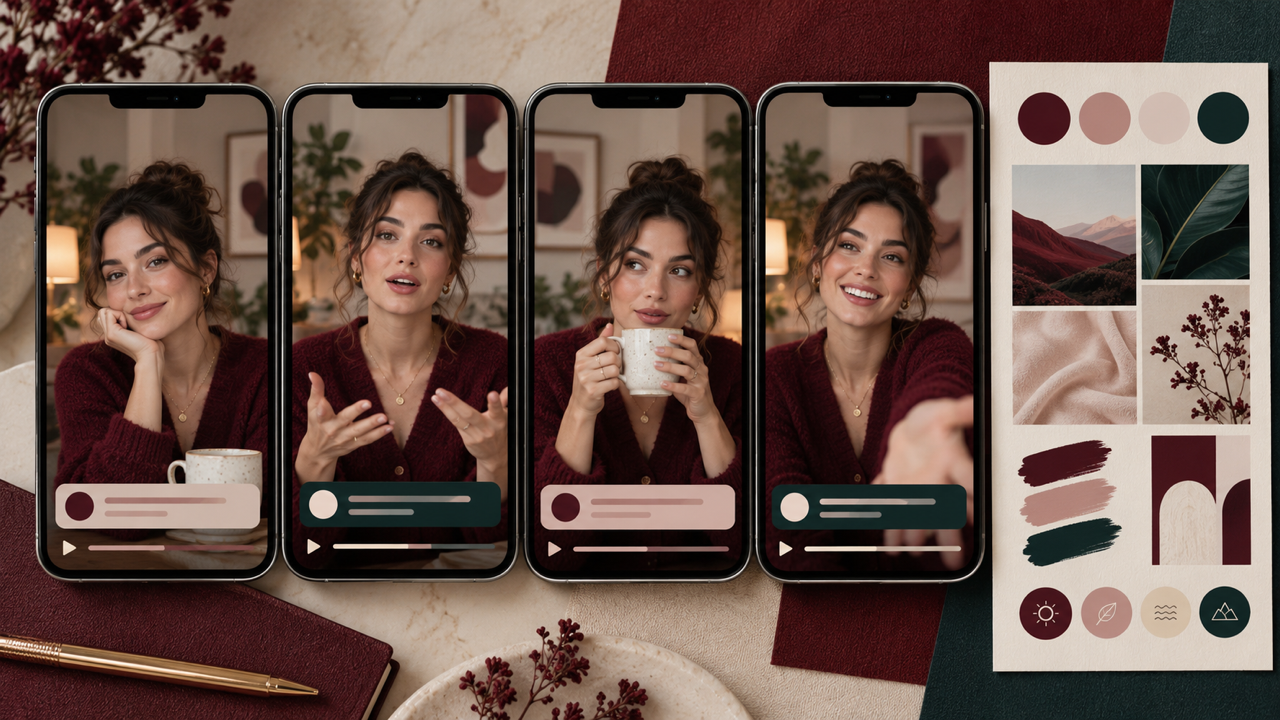
When five people prompt the same AI video tool, you can end up with five different brands. The fix is a small set of team conventions that everyone works from: a one-page brand sheet, a shared prompt pattern, a short list of approved templates, saved characters and voices, and one review step before anything ships. The tool generates the clips, but the conventions are what keep them looking like they came from one company.
Key Takeaways
- Write a one-page video brand sheet covering look, framing, voice, words to avoid and disclosure, and treat it as the source every prompt starts from.
- Give prompts a fixed order (subject, action, setting, light, camera, mood) so different people get comparable results.
- Approve a handful of templates per format, and reuse saved characters and voices for any face or narrator who appears more than once.
- Check every clip against the brand sheet before it goes live. On the VerseIn Teams & Business plan, model restrictions and per-user permissions back those conventions up.
Why AI video drifts off-brand on a team
Every person brings their own habits to a prompt. One writes "cinematic," another writes "bright and clean," a third picks whichever model was the default that day. Each clip looks fine alone, but side by side in a feed they don't match.
Few teams write these habits down. Only 40% of respondents in a 47-country University of Melbourne and KPMG survey (48,000+ people) said their workplace has "a policy or guidelines on generative AI use" (KPMG, May 2025).
Write a one-page video brand sheet
Your brand guide probably covers logos and fonts. AI video needs a few more decisions, written in plain words a prompt can use. Keep it to one page so people actually open it:
- Look: three to five words for the visual style, such as "warm daylight, soft shadows, uncluttered backgrounds."
- Colors in words: describe them in terms a prompt can use, such as "cream walls, sage green accents."
- Framing: default aspect ratios per channel and how close the camera sits to the product or person.
- People: which saved characters may appear, and the rule that only people who have agreed to appear are uploaded.
- Voice: tone of scripts and which saved voice reads them.
- Never: words, settings or visual clichés the brand avoids.
- Disclosure: how your team labels AI-generated or AI-assisted content.
For example, a hypothetical skincare brand might write: "Morning light, bathroom vanity, hands in frame, product label always readable, calm narrator."
Agree on a prompt pattern
A shared prompt order is the cheapest consistency tool you have. When everyone fills the same slots, results become comparable and it's easy to spot which slot caused a miss.
| Slot | What goes in | Example (hypothetical) |
|---|---|---|
| Subject | Product or saved character | @Maya holding the 50 ml serum bottle |
| Action | One clear movement | turns the bottle toward the camera |
| Setting | From the brand sheet | cream bathroom vanity |
| Light | From the brand sheet | soft morning window light |
| Camera | Framing and motion | slow push-in, 9:16 |
| Mood | Brand words | calm, clean, unhurried |
Copy the brand slots (setting, light, mood) straight from the sheet, and change only subject, action and camera per brief. The pattern survives a model change too: VerseIn's AI image generator page says switching models keeps your prompt, references and settings, and the text-to-video page describes "model switching without rewrites."
Pick a short list of approved templates
Templates lock in structure, so they do a lot of brand work on their own. VerseIn template pages follow three steps: "Select this template," "Upload your photo," "Generate and post." The templates library has categories such as Commerce, Marketing, UGC and Unboxing. Rather than letting everyone browse, list two or three approved templates per use case in the brand sheet:
- Ads: Marketing Studio offers ad-format templates for testimonials, product reveals, before-and-after and UGC-style hooks. Its Reframe step turns one master into 9:16, 1:1, 4:5 and 16:9, so placements share one cut.
- Product ranges: the AI product video generator lets one approved template cover every SKU in a line; its FAQ describes running it once per product.
- Catalogs: Commerce Studio reframes marketplace sizes "from one master rather than cropped by hand."
Review the list every quarter and drop templates nobody uses.
Reuse saved characters and voices
Recurring faces and narrators are where drift shows most. A spokesperson who looks slightly different in every ad is the first thing viewers notice.
The AI character generator lets you "create a character once, then bring it into any image or video," and call it up with @name in prompts. You build it from a front-facing photo or a text description (up to 4 images), plus a name and a short background story. The page says that story serves "as a reference for yourself and for anyone working on the same project," so write it like a casting note: age range, style, how they speak, what they never wear.
Voices work the same way. The voice-over page says voices can be saved and reused, and Marketing Studio describes cloning a brand voice once and reusing it across a campaign.
Two rules for the brand sheet:
- Consent first. Upload only people who have agreed to appear, and clone a voice only with that person's agreement, as VerseIn's tool pages require.
- Document the canon. VerseIn's video generator page describes the library as personal to your account, so keep each character's name, reference photos and story, plus each voice's name, in your team's brand folder. Every brief then uses the same names and details.
Lock format choices: ratios, captions and finishing
Small format choices add up to a recognizable look. Decide them once:
- Aspect ratio per channel. For example, 9:16 for Reels, TikTok and Shorts, 1:1 or 4:5 for feed ads, 16:9 for site banners.
- Caption style. AI Captions lets you style captions with presets, font, colors and position. Pick one style and write the settings into the sheet.
- Finishing order. Upscale last. The AI video upscaler page treats 2K or 4K upscaling as something you run once the cut is final, so nobody upscales a draft.
Add a brand check before anything ships
AI output is a draft until someone checks it. Build that habit into your process with a short checklist:
- Does it match the look, setting and mood words on the brand sheet?
- Are logos, labels and on-screen text correct? (VerseIn's product video FAQ recommends checking these before publishing.)
- Is the right saved character or voice used, with consent on file?
- Are captions in the house style and proofread?
- Are product claims accurate, and is AI use labeled the way your team agreed?
For a fuller process, see how to set up an AI content review process for your team.
Where VerseIn Teams fits
Conventions only work if people follow them. The Teams & Business plan lists controls that support them:
- "Restrict workspace members to specific models," so the approved list is set in the workspace, not only in a doc. More on this in how to control which AI models your team can use.
- "Centralized admin control with per-user credit usage and permissions," so an admin can see each person's credit usage.
- "Credit limit controls help your projects stay under budget," useful when several campaigns run at once.
- "Unlimited members," so team size isn't capped by the plan.
To request a quote, use Contact Us on the pricing page or email [email protected] with the subject "VerseIn Teams Plan Inquiry." For the policy side, see AI usage policies for creative teams.
FAQ
Does VerseIn have a brand kit?
No brand kit is listed on VerseIn's tool pages or on the Teams & Business plan card, so teams rely on the shared conventions above. If you need brand-kit features, raise it when you request a Teams quote.
How do we keep the same spokesperson across many videos?
Create the spokesperson once with the AI character generator, give them a name and background story, and call them with @name in prompts. Make sure the real person behind any uploaded photo has agreed to appear.
Should everyone on the team use the same AI model?
For a single campaign, yes, or at least a short approved list, so clips made by different people stay comparable. The Teams & Business plan lists the ability to restrict workspace members to specific models.
Can we use AI videos in paid ads?
Paid plans allow commercial use under VerseIn's terms of service. Check each ad platform's own rules on AI labels and disclosure before you publish.
Talk to us about VerseIn Teams
Model restrictions, per-user permissions and credit limits for teams that share one brand. Ask for a quote.