Best AI Image Generators in 2026, Compared
Versein Team · Updated
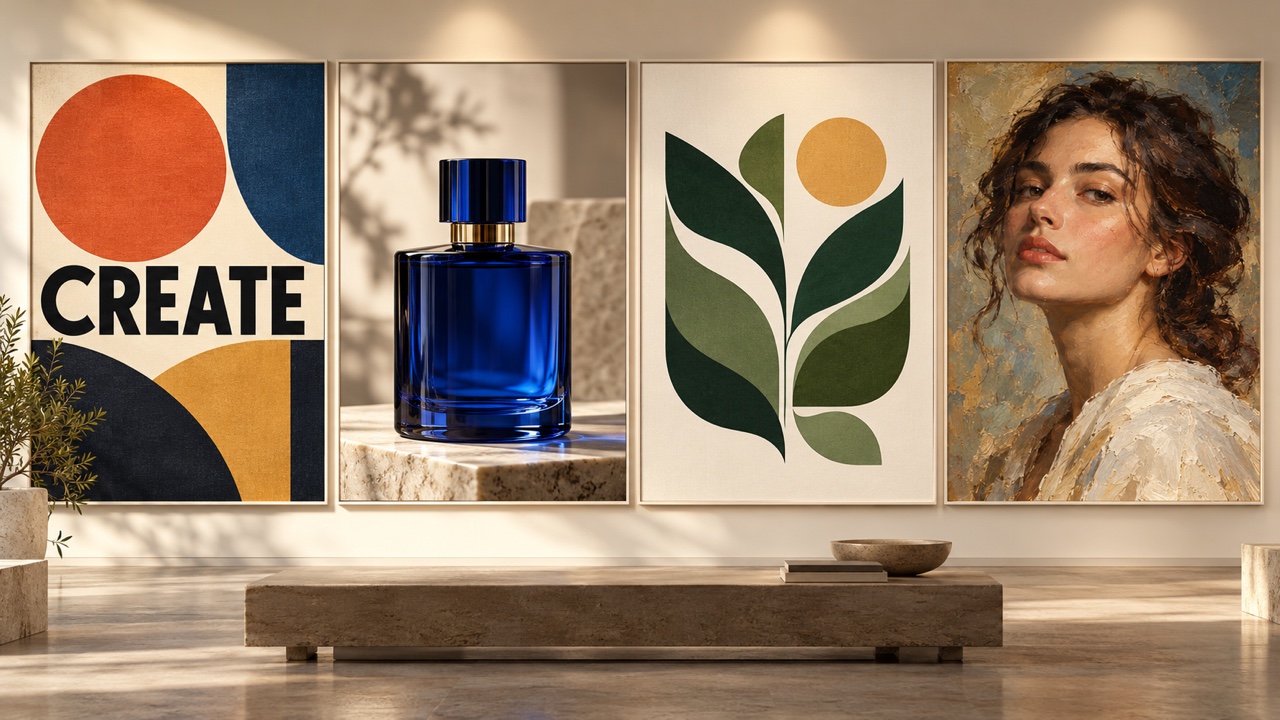
The right AI image generator depends on the job: OpenAI and Ideogram name text inside images as a focus, Midjourney focuses on aesthetics, Recraft on vectors and logos, Krea on product edits, and Google's Gemini on consistent characters. About one in four U.S. adults now use AI this way: in a Pew Research Center survey published June 17, 2026, 24% said they use AI chatbots to create or edit images or videos (5,119 adults surveyed February 17-23, 2026). Before you pay, check the license and free-tier rules too, because that fine print differs a lot from tool to tool.
Key Takeaways
- Pick by job first. For text, art, logos, product shots and editing, each job has a tool whose vendor names it as a focus.
- Free tiers come with conditions. Recraft's free plan does not allow commercial use, Ideogram's free outputs are public, and Gemini adds a visible AI watermark.
- Adobe says images from its own Firefly models are safe for commercial use, but images from partner models inside Firefly are the user's responsibility.
- Single-model apps center on one model. Multi-model platforms such as Krea and VerseIn let you try several models without switching apps.
How we chose
Every fact below comes from each vendor's official pages, retrieved on October 20, 2026. We did not run hands-on tests, so the list order is not a ranking. It is a research-based guide to what each vendor says its tool is for. Prices change often, so every price shown is the starting price at the time of writing. VerseIn is our own product. We list it last with that disclosure, using the same kind of official-source facts as for every other tool.
Price, free tier and best use at a glance
Prices are starting prices at the time of writing. "Not verified" means we could not confirm the detail on an official page. * Seen only in vendor summaries; confirm on the vendor's page.
| Tool | Latest model | Best for | Free option | Starting price |
|---|---|---|---|---|
| ChatGPT / OpenAI | GPT Image 2.5 | Text in images, conversational editing | Not verified | Plus listed at $20/mo* |
| Google Gemini | Nano Banana 2.1 | Consistent characters, photo blending | Yes, with Nano Banana 2 | Google AI Plus from $4.99/mo* |
| Midjourney | V8.2 | Aesthetic art, personal style | No free web trial* | Basic $10/mo* |
| Ideogram | 4.5 | Text in images, text edits | 30 credits/week, public outputs | Plus $20/mo ($15/mo yearly) |
| Recraft | V4.1 | Vectors, logos, illustration | Yes, no commercial use | Basic $12/mo ($10/mo annual) |
| Adobe Firefly | Image Model 5 | Teams that need commercial clarity | Free daily generations | Standard from US$9.99/mo* |
| FLUX (Black Forest Labs) | FLUX.2 [max], FLUX 3 Image Klein | Developers, self-hosting | Open-weights Klein model (check its license) | Not verified |
| Seedream (ByteDance) | Seedream 5.0 Pro | Infographics, multilingual text | Not verified | Not verified |
| Krea | Krea 3 | Product photos, upscaling | 100 compute units/day | Basic $9/mo |
| VerseIn (our product) | Several models in one composer | Comparing models, image to video | Free sign-up credits | Credit-based, cost shown first |
Single-model apps vs multi-model platforms
Most tools here fall into one of two groups, and it helps to know which one you want.
Single-model apps are built around one company's own model. Midjourney, Ideogram, Recraft and Adobe Firefly's own models fit here, and each app is designed around its model's strengths.
Multi-model platforms let you pick from several models in one place. Krea and VerseIn work this way. They make sense if your work mixes jobs, such as a poster with text one day and a product photo the next, or if you want to compare models on the same prompt without paying for several subscriptions.
1. ChatGPT (GPT Image 2.5): Best for text in images and conversational editing
GPT Image 2.5 is OpenAI's current image model family, built for readable words in images and edits you describe in chat.
On the API side, OpenAI lists two models. gpt-image-2.5-flare is described as the "fastest model for high-quality, everyday image generation", and gpt-image-2.5-sunburst is the second option in the family. OpenAI describes GPT Image 2.5 as strong at text inside images and conversational editing.
Best for: social graphics, simple posters, menus and mockups where the words have to come out right.
Pricing: ChatGPT Plus has been listed at $20 a month. Check OpenAI's current plan page before you subscribe, because plan names and limits change.
2. Google Gemini (Nano Banana 2.1): Best for consistent characters and photo blending
Gemini's image tools focus on keeping the same character recognizable across edits and blending several photos into one result.
Google's image generation overview lists the strengths of Nano Banana 2.1 as character consistency, clearer text, multi-photo blending and precise edits, with 2K output. Nano Banana 2.1 needs a Google AI plan, and free users get Nano Banana 2.
Best for: putting the same person or pet into several scenes, or combining a few of your own photos into one image.
Key detail: Google adds a visible AI watermark to generated images, plus an invisible SynthID watermark. That matters if you need clean images for client work.
Pricing: Google's subscriptions page lists AI Plus from $4.99 a month, but another Google page shows $7.99, so confirm the current price.
3. Midjourney V8.2: Best for aesthetic art and a personal style
Midjourney suits work where the look and style of the image are the main goal.
Midjourney V8.2 was released on July 24, 2026, and the update focuses on aesthetics and personalization. That fits stylized work such as concept art, mood boards and editorial illustration.
Best for: artists, designers and creators who want a distinctive visual style and are happy to explore many variations.
Pricing and terms: Midjourney's plans and terms appear to say three things: Basic starts at $10 a month, there is no free trial on the web, and companies earning more than $1 million a year need the Pro or Mega plan. Confirm these details on Midjourney's current plan and terms pages.
4. Ideogram 4.5: Best for text in images and text edits
Ideogram is built around getting words right and changing them afterwards, which suits designs where the text is the point.
The Ideogram 4.5 model page highlights precise multi-turn editing, text modification, product photography and native 2K output. Editing only the wording saves time when you need several versions of one graphic.
Best for: posters, thumbnails, quote graphics and product images with labels.
Key detail: the free plan gives 30 credits a week when you sign in with Google, Apple or Microsoft, but free outputs are public. Don't use the free tier for anything confidential.
Pricing: Plus is $20 a month, or $15 a month billed yearly.
5. Recraft V4.1: Best for vectors, logos and illustration
Recraft focuses on vector work, logos and brand illustration.
Recraft V4.1 was released on May 14, 2026, and covers vector graphics, logos, typography and illustration. Vector output matters if your image needs to scale cleanly onto signs, packaging or a website.
Best for: small businesses and designers making logos, icons, stickers and brand illustrations.
Key detail: the license changes when you pay. On the free plan, Recraft owns the images, commercial use is not allowed, and images go to a public gallery. On paid plans, you own your images and get commercial rights. For a business logo, plan on a paid tier.
Pricing: Basic starts at $12 a month, or $10 a month billed annually.
6. Adobe Firefly (Image Model 5): Best for teams that care about commercial safety
Firefly suits marketing teams that want a clear vendor statement on commercial use.
On its Firefly plans page, Adobe says outputs from Firefly's own models are safe for commercial use, while outputs from partner models are the user's responsibility. Firefly Image Model 5 is the current model, and free daily generations let you try Firefly before paying.
Best for: brand and ecommerce teams, especially those already using Adobe apps.
Key detail: the commercial-safety statement covers Firefly models only. If you pick a partner model inside Firefly, check that model's terms yourself.
Pricing: Firefly Standard appears to start from US$9.99 a month. Confirm the price on Adobe's plans page for your region.
7. FLUX (Black Forest Labs): Best for developers and self-hosting
FLUX fits teams that want to build image generation into their own product or run a model on their own hardware.
Black Forest Labs' models page lists FLUX.2 [max] as its most capable generally available model. It also announced FLUX 3 Image Klein on October 15, 2026, as an open-weights model, which means you can download and run it yourself. Listed strengths include multi-reference consistency, self-hosting and a developer API.
Best for: developers, technical teams and anyone who needs control over where images are generated.
Pricing: we could not verify consumer pricing on official pages, so check Black Forest Labs' site for current API rates.
8. Seedream 5.0 Pro (ByteDance): Best for infographics and multilingual text
Seedream 5.0 Pro is aimed at design-heavy images packed with information.
ByteDance launched Seedream 5.0 Pro on July 8, 2026. It focuses on dense infographics, editing by point, lasso or sketch, and native text in more than 10 languages, which helps if you publish for several language markets.
Best for: marketers making infographics, explainer graphics and localized visuals.
Pricing: Seedream 5.0 Pro is available in ByteDance's Dreamina app. Check Dreamina's current plans; we did not verify them on an official page.
9. Krea: Best for product photos and high-resolution upscaling
Krea combines its own models with many others in one subscription, with a focus on fast generation and editing.
According to Krea's site, its Krea 3 edit model keeps the product intact while you change the scene, and outputs at native 2K. Krea also offers real-time generation, upscaling up to 22K, and many models in one subscription.
Best for: ecommerce sellers placing a product into new scenes, and creators who want to sketch ideas in real time.
Pricing: the free plan includes 100 compute units a day, and Basic starts at $9 a month. A commercial license comes with paid plans.
10. VerseIn: Best for comparing models and going from image to video (our product)
Disclosure: VerseIn publishes this blog. We include it because it is a multi-model platform, and the facts below come from our own product pages.
The VerseIn AI image generator does text-to-image and image-to-image with several models in one composer. VerseIn's text-to-image model pages include GPT Image 2.5, Nano Banana 2 and Pro, Seedream 5.0 Pro, 5.0 Flash and 5 Lite, FLUX.2, Grok Image 2 and Qwen3. Your prompt, references and settings carry over when you switch model, so you can compare models on the same idea. Saved characters stay the same person across prompts.
Editing tools cover background replacement, restyling, cleanup and frame extension, plus upscaling and relighting. Any image can become the first frame of a video with image-to-video.
Best for: creators and small teams who use several models and also make video.
Pricing: credit-based. You see the total cost before you confirm, and credits for a failed generation are returned automatically. New accounts get free sign-up credits, and paid plans export without a watermark.
License and free-tier fine print
The license often matters more than the image. These conditions most affect whether you can use an image for business.
| Tool | What to know |
|---|---|
| Midjourney | Companies earning more than $1M a year appear to need the Pro or Mega plan. Confirm on Midjourney's terms page. |
| Recraft | Free plan: Recraft owns the images, no commercial use, and images go to a public gallery. Paid plans: you own images with commercial rights. |
| Ideogram | Free plan outputs are public. |
| Adobe Firefly | Adobe says Firefly-model outputs are safe for commercial use. Partner-model outputs are the user's responsibility. |
| Google Gemini | Images carry a visible AI watermark plus SynthID. |
| Krea | Commercial license on paid plans. |
| VerseIn | Paid plans export without a watermark. |
For any tool not covered here, read its terms of use before putting an image into an ad, on packaging or in a client deliverable.
How to pick by job
Start with the job you do most often, then check the license for that tool.
- Text in the image (posters, thumbnails, menus): GPT Image 2.5 or Ideogram 4.5. For text in several languages, look at Seedream 5.0 Pro.
- Realistic edits of your own photos and consistent characters: Gemini's Nano Banana models, which list precise edits, multi-photo blending and character consistency, or a saved character in VerseIn.
- Art and aesthetic style: Midjourney V8.2.
- Vectors and logos: Recraft V4.1 on a paid plan, so you own the result.
- Product photos: Krea 3's edit model or Ideogram 4.5, both of which name product work as a focus.
- Editing existing images: Gemini for precise edits, Seedream 5.0 Pro for point, lasso and sketch edits, or an editor with background replacement and cleanup.
- Building your own app or self-hosting: FLUX.
- A mix of all of the above: a multi-model platform such as Krea or VerseIn.
FAQ
Can I use free AI-generated images commercially?
Sometimes, but check the plan. Recraft's free plan does not allow commercial use, and Ideogram's free outputs are public. Gemini adds a visible watermark. Adobe's statement covers Firefly-model outputs and does not say whether free generations are included, so check Adobe's terms before using free Firefly images commercially. Partner-model outputs in Firefly are the user's responsibility.
Which AI image generator is best for text in images?
OpenAI lists text inside images as a GPT Image 2.5 strength, and Ideogram 4.5 lets you modify the text after generating. Seedream 5.0 Pro supports native text in more than 10 languages, which helps with localized graphics.
Is a multi-model platform better than a single-model app?
It depends on how varied your work is. A single-model app is simpler if one model already does your main job well. A multi-model platform such as VerseIn's image generator helps when you want to compare models on the same prompt or move between jobs often.
Try several image models in one place
Generate and edit images with free sign-up credits, switch models without losing your prompt, and see the cost first.