AI UGC Ads for Performance Marketing Teams
Versein Team · Updated
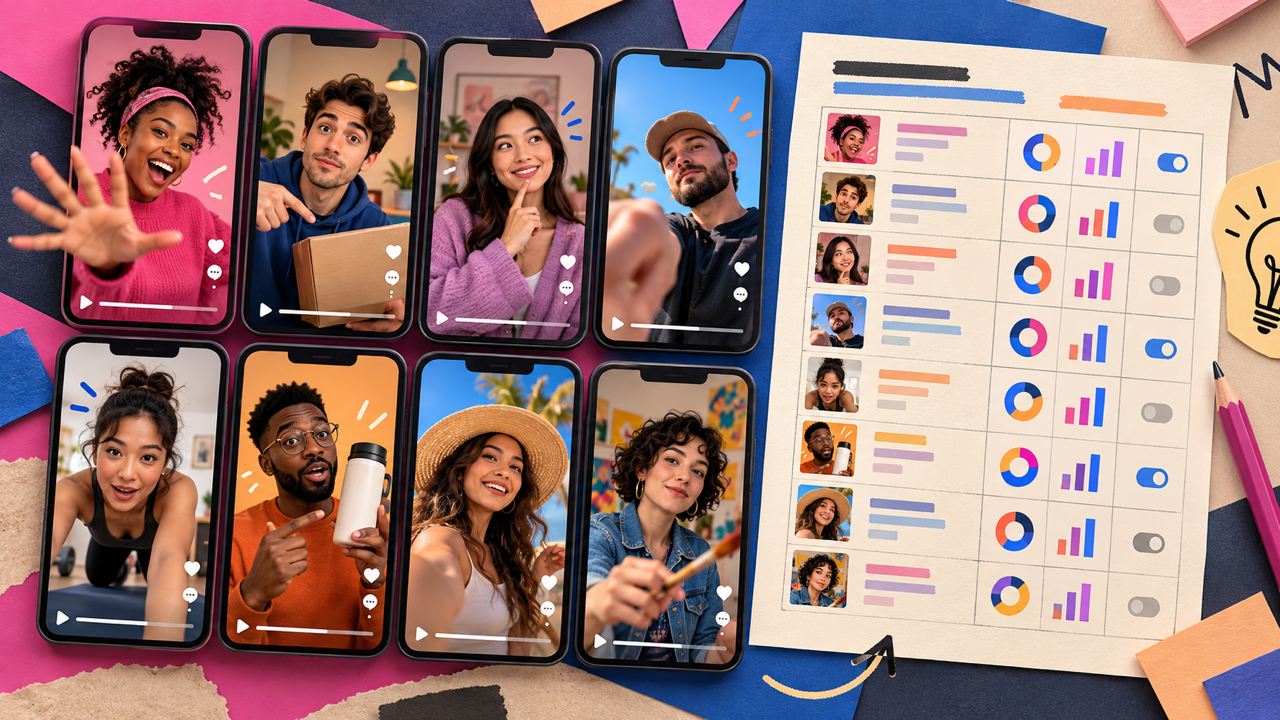
Performance teams get the most from AI UGC ads when they treat them as test material. Change one thing per version, usually the hook, and let the results pick the winner. The plan, the review and the honest labeling still come from your team.
Key Takeaways
- Plan each test around one variable (hook, avatar, setting or format) so the results mean something.
- Save the product and avatar once, then generate several hook versions and compare them side by side.
- Treat AI avatars as actors, not customers. Never present a generated presenter as a real, unpaid buyer, and follow each ad platform's rules on AI content.
- Once several people are producing variants, the Teams & Business plan lists credit limit controls, per-user usage and model restrictions to keep testing under control.
Why ad testing needs a steady supply of creative
When one hook wears out, you need the next few ready. Marketers also rate short-form highest for ROI: a HubSpot survey of 1,500+ marketers put short-form video first, chosen by 48.6%.
A Salesforce survey of 4,450 marketing professionals found that 78% say they need more personalized content than they can currently produce (Salesforce, State of Marketing, 10th Edition). For a paid social team, "personalized" often means one product pitched five ways to five audiences.
UGC-style ads fit this well, but booking creators for every new angle is slow. Generating versions lets the team test more angles before paying for a full creator shoot.
What one UGC ad variant is made of
Before you generate anything, break the ad into its parts. Each part is something you can test. The VerseIn UGC Ad Generator makes talk-to-camera, creator-style video ads in Marketing Studio, and its inputs map neatly onto those parts.
| Ad part | What it controls | Input in the UGC Ad Generator |
|---|---|---|
| Product | What's being sold | A product photo or a text description |
| Avatar | Who's speaking | A photo or a description of the presenter |
| Hook | The first line that stops the scroll | An optional hook, or a template |
| Setting | Where the presenter is | An optional setting (the location) |
| Script and direction | What gets said and how | An @-mention prompt |
| Format | Where the ad runs | Aspect ratio and duration |
The product and avatar are saved as reusable assets. When both stay fixed, a difference in results more likely comes from the hook you changed.
A testing workflow for AI UGC ads
1. Write the test plan first
Pick one question per round. "Which opening line gets more people to watch past the first seconds?" is a good test. "Which ad is best?" isn't, because it can't tell you why. If you're making your first UGC ad, start with how to make UGC video ads with AI; this guide picks up when several people run tests at once.
For example, a hypothetical team selling a reusable water bottle might test four hooks in one round:
| Version | Hook (the only change) |
|---|---|
| A | A question about how many plastic bottles you buy a week |
| B | A "the thing I didn't expect" reveal about keeping drinks cold |
| C | A quick before-and-after of a cluttered desk |
| D | A direct product callout with the main benefit |
Avatar, setting, script body and format stay fixed. Next round, you keep the winning hook and test something else, such as the setting.
2. Lock the product and avatar for the round
Add the product and the avatar, then keep them for the whole round. Agree on a naming convention, like product, avatar and test round. To reuse a presenter across image and video work, a character made in the AI Character Generator comes back in any prompt when you type its @name. Its short background story is meant "as a reference for yourself and for anyone working on the same project."
3. Generate the hook versions
Generate one version per hook, then compare the versions in your generation history. Before you confirm each run, you'll see the total credit cost. If a generation fails because of a processing error, timeout or safety check, the credits go back automatically.
4. Resize and spin off variants in Marketing Studio
Feeds and stories want different shapes. Marketing Studio can reframe one master into 9:16, 1:1, 4:5 and 16:9. With Variants, you take one template and run it again with a new hook, voice or first frame. Running the same ad in another market? Marketing Studio replaces the voice-over language and leaves the picture untouched.
5. Review before anything goes live
Give every variant a second pair of eyes. Check that claims match what the product does, that the logo and label look right, and that the avatar isn't presented as someone it isn't. Our guide to setting up an AI content review process has a fuller checklist.
6. Launch, read results and refill
Run the versions under the same budget and audience so the comparison is fair. Pick the signal before launch: for hook tests, early hold or watch-through; once the hook is settled, click-through or cost per result. The winner becomes the control for the next round. Retire the weak hooks and generate new challengers.
Avatar disclosure and honest UGC
UGC works because viewers believe a real person is sharing a real opinion. AI avatars borrow that format, so they shouldn't borrow trust they haven't earned. Some ground rules:
- Don't fake customers. VerseIn's product review video page says not to present generated presenters as unpaid real customers. Script avatars as presenters, not as people claiming they bought and used the product.
- Get consent for real faces and voices. If you base an avatar on a real person's photo, VerseIn's video generator page says to upload only people who have agreed to appear. Voice clones need the same thing: the speaker's yes.
- Follow platform labeling rules. Each ad platform sets its own rules on AI-generated content and disclosure, and those rules change. Check the current policy for every platform you buy media on, and build the label into the review checklist.
- Disclose paid relationships. The same product review page says affiliate content is allowed on a paid plan, subject to platform terms and disclosure rules.
Paid plans allow commercial use under VerseIn's terms of service, and paid plans export without a watermark. This is general guidance, not legal advice, so check with your legal team for regulated products or markets.
Where the Teams & Business plan fits
One media buyer testing hooks for one brand can work well on an individual plan. The Max card says "Built for high-volume workflows" and lists 8 concurrent videos. It gets harder when three or four people produce variants for several campaigns at once. Credits get spent in more places, and it's harder to see where they went.
The Teams & Business plan lists features for that situation:
- Budget limits. The plan lists credit limit controls to keep projects under budget. For example, a team might ask whether limits can be set per campaign, so one busy launch doesn't drain the rest.
- Who spent what. It includes centralized admin control with per-user credit usage and permissions.
- One approved setup. The plan lists the option to restrict workspace members to specific models, so the team works from an approved list of models.
- Bigger rounds. It lists custom concurrent generations with a priority queue.
- The rest of the card: unlimited members, volume-based discounts, premium 24/7 customer support and early access to advanced AI features.
Teams is priced by quote. Send a note to [email protected] (subject: "VerseIn Teams Plan Inquiry") or press Contact Us on the pricing page, and bring along anything the card leaves open, like how permissions are configured. To split credits by project, see how to share AI credits across a team.
FAQ
How many variants should a team test at once?
There's no fixed number. Test only as many versions as your budget can give a fair share of traffic. A few well-funded hooks usually teach you more than many thinly funded ones.
Do I need to appear on camera to make UGC-style ads?
No. The UGC Ad Generator takes an avatar from a photo or a description. If you use a real person's photo, make sure they've agreed to appear.
Can I make the same ad in other languages?
Yes, the step 4 language swap handles it. Have a native speaker review each version before launch. For the wider process, see how global marketing teams can localize video with AI.
Where do I start if I've never made a UGC ad with AI?
Start with one product, one avatar and three hooks, and follow the beginner guide linked in step 1. For more short-form ideas, see how social media teams can make more short-form video with AI.
Build your next round of UGC ad variants
Turn a product and an avatar into talk-to-camera ad versions with different hooks, ready to compare.