Best AI Lip Sync Video Generators in 2026
Versein Team · Updated
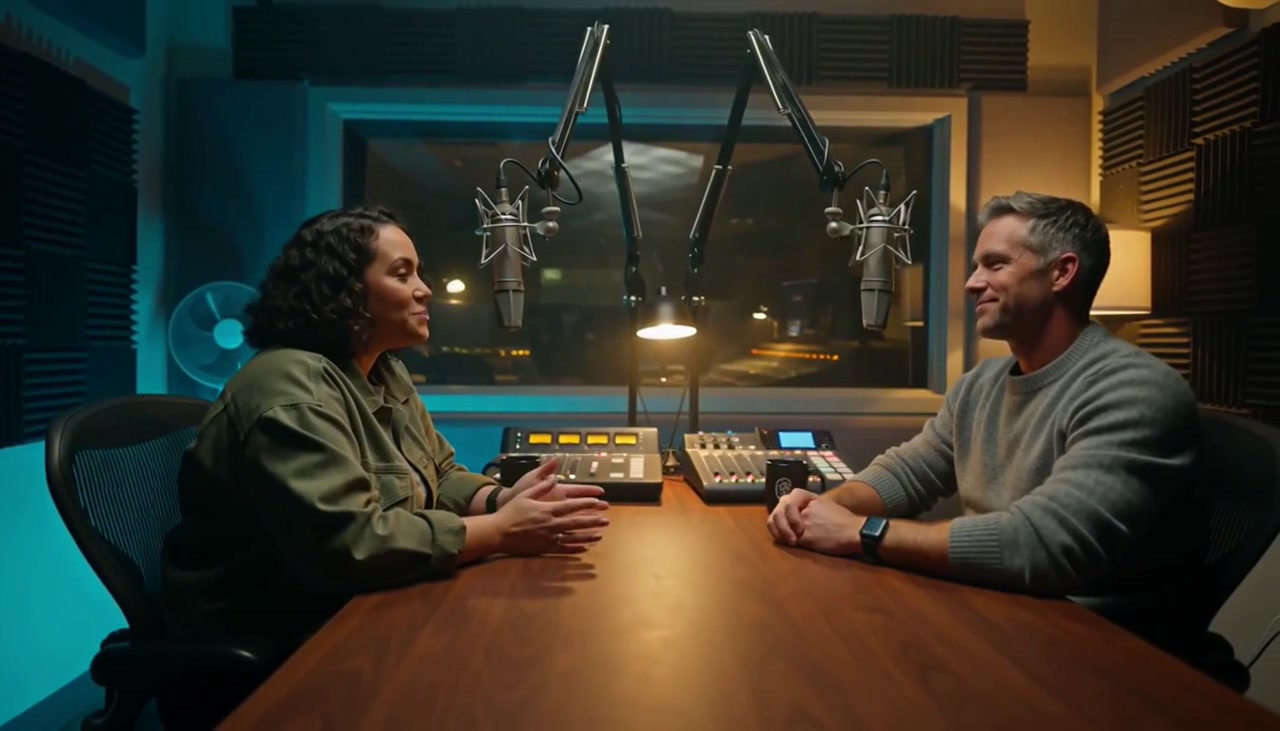
The best AI lip-sync tool depends on what you start with: a video that needs new audio, a still photo you want to make talk, or only a script. Dedicated tools like Sync.so and Vozo work on existing footage, Hedra and HeyGen turn a photo plus audio into a talking clip, and HeyGen and Synthesia build presenters from typed text. This guide groups each tool by job and shows the free option, the price at the time of writing and the plan where lip sync actually unlocks.
Key Takeaways
- Pick by input first: video plus new audio, photo plus audio, or script only. Each job suits a different kind of tool.
- Lip sync is often a higher-plan feature. Rask AI, for example, lists it on Creator Pro but not on Creator.
- Free tiers are small and come with limits such as watermarks, short clips or expiring points, so read the plan page before you build a workflow around one.
- Only sync faces and voices you have permission to use, and tell viewers when speech is synthetic or translated.
How we chose
The facts below come from each vendor's official pages, retrieved on 2026-10-20. We did not run hands-on tests, so nothing here is a ranking from testing, and quality claims stay with the vendors who make them. Prices change often, so prices are as listed on each pricing page at the time of writing. VerseIn is our own product. We list it with that disclosure and hold it to the same standard: only what its official pages say.
Quick comparison
| Tool | Best for | Input | Free option | Price at time of writing |
|---|---|---|---|---|
| VerseIn | Lip sync next to voice-over and dubbing in one app | Video or image with a clear face, plus audio | Free sign-up credits | Credit-based; cost shown before you confirm |
| Sync.so | Dedicated lip-sync models and an API | Video plus audio | Check the pricing page | Hobbyist $5/mo plus $0.05 per second |
| Vozo | Long footage and fixing only selected segments | Existing video; photo for Talking Photo | 20 points (about 2 min of lip sync, expire after 7 days) | Creator $29/mo |
| Rask AI | Translation and dubbing across many languages | Video | 3 minutes, no card | Creator $39/mo; lip sync on Creator Pro $99/mo |
| Captions | Dubbing from a phone | Imported video | Check the pricing page | Max plan $24.99/mo (iOS price) |
| Kling AI | Lip sync on clips made in Kling | Kling video plus audio or built-in TTS | Check Kling's site | Not covered here |
| Hedra | Talking characters from one image | Start image plus audio | Check the pricing page | API from 2.5¢ per second |
| HeyGen | The widest range of inputs | Video, photo, audio or script | Up to 3 videos/month, up to 1 min each | Creator $29/mo ($24/mo billed annually) |
| Synthesia | Corporate and training presenters | Script | Basic: 10 min/month, watermarked, no download | Starter $29/mo ($18/mo billed annually) |
| Runway | Driving a character from a recorded performance | Not covered here | 125 one-time credits | Standard $12/mo billed annually |
Job 1: Re-sync an existing video to new audio
This is the job for dubbing, fixing a flubbed line, or swapping in a cleaner voice-over. Translated audio is worth the effort: YouTube reported that creators who uploaded multi-language audio tracks saw over 25% of their watch time come from views in the video's non-primary language, as of July 2025 (YouTube Official Blog, 2025-09-10). For product pages and videos, a CSA Research survey of 8,709 consumers in 29 countries found that 76% of online shoppers prefer to buy products with information in their native language, and 40% will never buy from websites in other languages (CSA Research, 2020-07-07). Lip sync makes a dubbed video look less like a dub.
VerseIn: best for lip sync alongside voice-over and dubbing
VerseIn AI Lip Sync takes two inputs: a video or image with a clearly visible face, and the audio it should speak. That audio can be your own recording, a voice-over you generated in VerseIn, or a translated track. The tool matches the mouth to the audio.
Why it's useful: results are saved to your library, so you can swap the audio, rerun and compare versions. Because it accepts an image as well as a video, the same tool covers Job 2 too.
Best for: creators and small teams who want voice-over, dubbing and lip sync in one place. It pairs with VerseIn voice-over for generating speech. VerseIn video dubbing translates and re-voices a video in one step, with optional lip sync to the new audio.
Pricing: credit-based. The pricing page says you always see the total cost before you confirm, and credits are returned automatically if a generation fails. New accounts get free sign-up credits, and paid plans export without a watermark.
Sync.so: best for dedicated lip-sync models and API access
Sync.so centers on lip sync: you give it a video and an audio track, and its lip-sync models re-sync the mouth. The models are available through an API, which suits teams that want lip sync inside their own app or pipeline. Its sync-3 model outputs native 4K.
Best for: developers and studios processing footage at scale.
Watch the limits: the pricing page caps clip length by plan, at 1 minute on Hobbyist and 5 minutes on Creator. It also lists dubbing in 29 languages.
Pricing: Hobbyist is listed at $5/mo plus $0.05 per second.
Vozo: best for long footage and segment-only fixes
Vozo lets you apply lip sync to existing footage, including only the segments you select, which helps when a single line needs fixing. According to its pricing page, paid plans handle videos up to 60 minutes at up to 4K. It also offers Talking Photo, at 720p, for still images.
Best for: podcasts, interviews and long talking-head videos.
Pricing: the free tier gives 20 points, which Vozo estimates at about 2 minutes of lip sync, and they expire after 7 days. Creator costs $29/mo and covers about 15 minutes of lip sync.
Rask AI: best for translating into many languages
Rask AI is a translation and dubbing tool. Its pricing page lists 135+ languages and voice cloning in 32 languages.
The catch: lip sync is listed on Creator Pro ($99/mo, or $67/mo billed annually) but not on Creator ($39/mo). If lip sync is the reason you're signing up, check which plan you're buying.
Best for: teams localizing one video into many markets.
Pricing: free trial of 3 minutes with no card required. Creator is listed at $39/mo.
Captions: best for dubbing on your phone
Captions is a mobile-first creator app. Its Lipdub feature dubs an imported video into a target language, with 31 targets, and re-syncs the lips to match.
Best for: solo creators who shoot, edit and post from a phone.
Pricing: the pricing page lists the Max plan at $24.99/mo and notes that these are iOS prices. Only the Max plan price is covered here.
Kling AI: best for lip sync on clips you made in Kling
Kling's Lip Sync feature works on a video generated in Kling, plus uploaded audio or Kling's built-in text-to-speech. It's a finishing step inside Kling rather than a tool for any footage you shot. For a still image, Kling points to its separate AI Avatar feature. Lip Sync works on human characters only, not animals.
Best for: people already generating video in Kling who want their characters to speak.
Pricing: not covered here; check Kling's site for current plans.
Job 2: Make a still photo talk
Here you start with one image and an audio track, and the tool animates the face from the audio. The input guidance on VerseIn's lip-sync page (see the tips below) applies here too. VerseIn (above) and HeyGen (below) also accept a photo.
Hedra: best for talking characters from a single image
Hedra's Character-3 model takes a start image and an audio file (audio is required) and turns them into a talking character. Aspect ratios include 9:16 for vertical social video and 1:1 for square feeds. Output comes in 540p, 720p or 1080p.
Best for: creators making character clips, explainer hosts or animated portraits for social.
Pricing: the pricing page lists API pay-as-you-go from 2.5¢ per second. Only the API price is covered here.
Job 3: Script-to-avatar presenters
If you don't have footage or a photo you want to use, these tools generate a presenter that reads your typed script.
HeyGen: best for the widest range of inputs
HeyGen covers all three jobs. Its lip-sync tool accepts a video (from 2 seconds up to 5 GB), a portrait photo, MP3 or WAV audio, or a typed script read by an AI voice or a cloned voice.
Best for: marketers who want one tool for avatars, talking photos and re-synced clips.
Free option: the pricing page lists up to 3 videos a month, up to 1 minute each, with no card. The tool page says the free allowance is 1 to 3 videos depending on region.
Pricing: Creator costs $29/mo, or $24/mo billed annually. Creator and Pro plans allow videos up to 30 minutes.
Synthesia: best for corporate and training presenters
Synthesia focuses on script-to-avatar video and AI dubbing. Its pricing page lists dubbing into 70+ languages on Basic, Starter and Pro.
The catch: lip sync for dubbing is listed as Enterprise-only. If you plan to dub on Basic, Starter or Pro, confirm with Synthesia what the dubbed video will look like before you rely on it.
Best for: training, onboarding and internal communications teams.
Pricing: the free Basic plan gives 10 minutes a month, watermarked, with no download. Starter costs $29/mo, or $18/mo billed annually.
A performance-driven alternative: Runway Act-Two
Runway describes Act-Two as a tool that drives a character from a recorded performance. It sits outside the three jobs above, so check Runway's help pages for current inputs and limits. Runway's pricing page lists 125 free one-time credits and a Standard plan at $12/mo billed annually.
Where lip sync sits behind higher plans
Many tools advertise lip sync but gate it, or the length you need, behind a bigger plan. Based on each vendor's pricing page at the time of writing:
- Synthesia: lip sync for dubbing is Enterprise-only.
- Rask AI: lip sync appears on Creator Pro, not on Creator.
- Sync.so: maximum clip length is 1 minute on Hobbyist and 5 minutes on Creator.
- HeyGen: free videos are capped at 1 minute each; Creator and Pro allow up to 30 minutes.
- Vozo: free points expire after 7 days, and the 60-minute limit applies to paid plans.
Before you pay, find the lip-sync row on the plan comparison table, not just the feature page.
Which tool fits what you have
| If you have… | Pick a tool that… |
|---|---|
| A finished video and a new voice-over | Re-syncs existing footage to uploaded audio (VerseIn, Sync.so, Vozo) |
| One video to release in many languages | Translates, dubs and re-syncs in one flow, on a plan that includes lip sync (Rask AI Creator Pro, Captions, VerseIn video dubbing) |
| A long interview with one bad line | Lets you fix only a selected segment (Vozo) |
| A portrait photo and an audio clip | Animates a still image from audio (Hedra, HeyGen, Vozo Talking Photo, VerseIn) |
| Only a script | Generates an avatar presenter from text (HeyGen, Synthesia) |
| A developer team and a product to build | Offers lip sync through an API (Sync.so, Hedra) |
| Clips already generated in Kling | Syncs inside the same tool (Kling Lip Sync) |
Consent and likeness
Lip sync makes a real person appear to say words they never said. Use only faces and voices you own or have clear written permission to use, and keep a record of that permission. Don't sync public figures, coworkers or customers without their consent, even as a joke. When a video uses synthetic or translated speech, tell viewers, for example in the caption or description. Also check each platform's rules on AI-generated or altered content before you post.
How to get cleaner lip sync from any tool
The VerseIn lip-sync page gives tips that apply to most tools:
- Frame the face well: keep it large in frame, evenly lit and mostly facing the camera.
- Use clean audio: clear speech with little background noise gives the model less to guess.
- Review with sound on: watch the result with audio playing, since that's how you'll catch drift between words and mouth shapes.
FAQ
What is the difference between lip sync and dubbing?
Dubbing replaces the audio, often with a translated voice. Lip sync changes the mouth movement in the video to match that audio. Some tools do both in one flow, while others reserve lip sync for higher plans (see "Where lip sync sits behind higher plans" above).
Can I lip sync a video for free?
Yes, within tight limits. HeyGen's free plan allows up to 3 short videos a month (1 to 3 depending on region, per its tool page), and Vozo gives free points that expire after 7 days. Rask AI has a 3-minute free trial, but lip sync is listed only on Creator Pro. Expect watermarks or length caps on most free tiers.
Can AI make a photo talk?
Yes. Hedra, HeyGen and Vozo's Talking Photo accept a still image plus audio; see Job 2 for details. For cleaner results, follow the input tips in "How to get cleaner lip sync from any tool" above.
Does AI lip sync work on animals or cartoon characters?
It depends on the tool. Kling states its Lip Sync works on human characters only, not animals. For other tools, check the official page or try a short clip on a free tier before you commit.
Is it legal to lip sync someone else's face?
That depends on where you live and how you use the video, so this isn't legal advice. The safe rule is to only use faces and voices you have permission to use, and to label synthetic speech clearly.
Sync a face to new audio in VerseIn
Upload a video or photo with a clear face, add your audio, and see the credit cost before you generate.